Managing multiple client sites often means juggling local setups, updates, and changes across different environments. It works — until the workflow starts getting in your way. Small issues, like inconsistent configurations, overwritten files, and repetitive setup tasks, can all add up and slow you down. WordPress Studio simplifies all of that. The free, open-source tool lets you spin up local sites quickly, share previews instantly, and move changes between environments without the usual hassle — helping you focus on creating rather than configuring and troubleshooting. Here’s how you can use it to manage multiple client WordPress sites. Step 1: Set up a new local site You have three options for…
Want more people to actually find and follow your website? Our new course — Grow Your Website’s Audience — is here to guide you through the strategies and tools that help you attract visitors, build trust, and turn casual readers into loyal followers. It’s fully self-paced, so you can jump into any lesson at any time and spend more time on the topics that matter most to you. Start the free course What you’ll learn Across seven practical lessons, you’ll learn how to: Create content that builds trust and engagement — craft posts that show expertise, clarity, and personality. Get found in search results — master SEO basics and make…
A blog is one of the best investments you can make — personally and professionally. It can drive traffic to your website, boost your career or business, help you learn valuable skills, or simply give you a creative outlet. Even after 10 years of blogging for myself and others, I still find it enjoyable, meaningful, and one of the most effective ways to earn web traffic. So come along and see why you should start a blog in 2026. 1. Be visible in search engines Search is changing in 2025 — but blogs are still one of the best ways to ensure people find you online. Traditional search engines like…
The holidays are here, and your website deserves a glow-up to celebrate the season. Whether you run an online store or a blog, plugins can transform your site into a festive experience that delights visitors and boosts engagement. From falling snowflakes to advent calendar giveaways, we’ve rounded up 10 holiday plugins that add seasonal charm and set you up for holiday success. 1. Christmas Panda Christmas Panda lets you add festive Christmas decorations to your site with just a few clicks. In the Christmas Panda tab in your WordPress admin panel, you can select from a variety of decorations. The plugin offers a merry mix of header and footer banner…
I built my business site on WordPress and often recommend it — along with tools like Jetpack and the new AI website builder — to people in my network. I’m an experienced website designer, but I’m not a software developer. Vibe coding has been a fun, seemingly magical way to turn ideas into working mini-apps, but that “magic” comes with limits. The tools I’ve created work well for my internal team, yet I don’t understand the backend deeply enough to share them publicly or monetize them safely. After building dozens of prototypes, I’ve learned that AI prototyping tools are great for fast experimentation — but some fall short in powering…
On December 2, WordPress co-founder Matt Mullenweg, Executive Director Mary Hubbard, and Lead Architect Matías Ventura took the stage in San Francisco — joined by contributors and guests from around the world. And for the first time, a major WordPress release launched live during the keynote — WordPress 6.9 went out to the world as the audience watched. If you missed the livestream, you can watch the full recording below: Our favorite highlights from 2025 2025 was a milestone year for WordPress. The project shipped two major releases, welcomed record numbers of first-time contributors, and saw global adoption accelerate — especially in non-English markets. Here’s what stood out: WordPress continues to…
WordPress 6.9 is a pivotal release that strengthens the foundation for where WordPress is heading next. The updates to the Abilities API, Interactivity API, Block Bindings, DataViews, and DataForm make the platform more connected and easier to customize. This release also puts developers in a better position to build interactive and intelligent features as WordPress moves into an AI-assisted future. Read on to learn about key updates, see what’s possible, and get excited to start building with WordPress 6.9. 1. Register AI‑ready functions with the Abilities API and MCP One of the most exciting additions to WordPress 6.9 is the new Abilities API. When paired with the Model Context Protocol…
WordPress 6.9 is here, bringing a handful of upgrades that make life easier for bloggers, creators, and site owners. This release speeds up everyday work, improves how teams collaborate, and adds new block options that give you more room to shape your site the way you want. Here’s a look at the standout WordPress 6.9 features that have arrived since the last update in April 2025, and how they help you build more with WordPress.com. Collaborate and stage content directly in your posts Explore the latest Site Editor updates, which make it easier to do more directly inside WordPress without relying on extra tools or touching backend code. Block-level Notes …
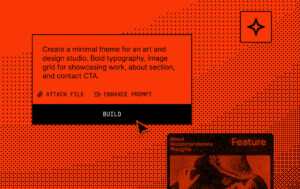
Using AI website builders is like having a conversation with a designer, developer, and copywriter rolled into one — anything you describe can be turned into a reality. Whether you’re designing layouts, writing copy, or refining appearances, AI handles it all through simple language prompts. This guide shows you how to build a WordPress website using AI in 12 easy steps. Let’s assume we’re creating a site that reviews various snacks to help busy moms and health enthusiasts make purchasing decisions. You can adapt the following prompts to the site you’re building. Step 1: Define your website’s purpose and content focus First, list the key details about your site’s foundation.…
If you’re planning to move your site to WordPress.com, this step-by-step WordPress migration checklist covers everything you need for a smooth, stress-free process. You’ll find the exact workflow and steps I’ve used to successfully move WordPress sites so that you can complete your own website migration with confidence. TL;DR: Quick WordPress migration checklist Here’s a quick overview of the WordPress migration checklist that’s covered in full detail in this guide: Pre-migration steps: Plan and communicate: Decide when you’ll migrate, and let your visitors know via emails, social media, and a prominent notice on your homepage. Pause site activity: Place the site in maintenance mode and stop making changes. Back up…