The WordPress AI Assistant is now available on WordPress.com. If you’ve used our AI website builder, you already know how easy it is to create a full site by having a conversation. Now, that same intelligence stays with you inside the editor and Media Library. Unlike standalone AI tools, the WordPress AI Assistant works inside your site. It understands your content and layout and can take action where you’re already building — no copy-pasting, no prompt engineering, and no code to figure out what to do with. Sites on WordPress.com’s Business or Commerce plans can now opt into the WordPress AI Assistant at no extra cost. Build, write, design, and…
AI search tools such as ChatGPT and Google’s AI Mode are changing how people find content. The good news? Your WordPress site can show up in both traditional Google results and AI-generated answers with a few practical tweaks. In fact, most of what AI systems need already exists in WordPress — if you structure and use it properly. This guide shows you how to optimize your WordPress site for AI search with nine simple steps. 1. Write answer-first content with a clear structure Start each section with the main point, then add supporting details when creating content for your website. AI systems extract information by scanning for direct answers and…
AI is reshaping how people create websites. Today, we’re releasing new Skills and a Claude Cowork plugin designed for vibe coders and anyone who wants to create WordPress themes, generate sites, and experiment with AI-assisted development. You’ll find that you don’t need to be technical at all. These tools are in rapid development and changing constantly, but we wanted to get them into your hands now. We believe this is where site building is headed. WordPress site creator plugin for Claude Cowork This new Claude Cowork plugin turns a conversation with Claude into a fully built WordPress site. Describe what you want, and it creates a complete block theme and…
Want to build WordPress plugins using AI? This guide shows you how to set up Claude Code and WordPress Studio to create working plugins with text prompts. Claude Code is Anthropic’s AI coding assistant. WordPress Studio is a free local WordPress environment. Together, they let you go from idea to a working plugin in minutes — no deep coding knowledge required. This walkthrough covers the complete setup and shows you how to build your first plugin. 1. Install Claude Code Head to Claude Code and sign up for an account — you can choose any paid plan available. Run the native installer from the setup page and follow the on-screen…
Web hosting provides an online environment for running your website. WordPress hosting optimizes your environment so WordPress websites can operate at their best. WordPress hosting is often the better choice if your site runs on WordPress, while general web hosting makes more sense if you plan to use other platforms or need a more open setup. In this guide, we compare WordPress hosting with general web hosting and explain when each option makes sense based on your skills, needs, and budget. WordPress hosting vs web hosting: What’s the difference? The main difference is that WordPress hosting is optimized for WordPress with minimal setup, while general web hosting is more flexible,…
Our new course — Monetize Your Website — helps you turn the value you’re already creating into sustainable income, using the built-in tools available on WordPress.com. Whether you share knowledge, create content, or offer services, this course walks you through practical, beginner-friendly ways to get paid. No traditional eCommerce setup required. The course is fully self-paced, so you can dip into individual lessons as needed or follow along from start to finish at your own pace. Start the free course What you’ll learn Across a series of practical lessons, you’ll learn how to: Understand your monetization options — explore the different ways WordPress.com lets you earn, and choose approaches that…
There are thousands of WordPress plugins out there. But to get started, you really only need a handful. We pulled real usage data from WordPress.com sites to see which plugins people rely on, and we selected the ones that address core website needs. Then, I personally tested each plugin and looked at user reviews. This guide covers the most essential WordPress plugins. These are helpful if you’re launching your first WordPress site, filling gaps in your current setup, or something in between: Jetpack: For all-in-one site management Akismet: For spam protection Page Optimize: For site speed Crowdsignal Forms: For user feedback WooCommerce: For e-commerce Gravatar Enhanced: For user profiles Yoast…
Andrew Adetitun runs The King’s Monologue, a media network teaching African history to over 160,000 followers across different channels. He noticed that African history wasn’t just underrepresented — it was actively obscured. Achievements credited to the wrong civilizations. Truth buried in books most people would never read. So he started making content. First on TikTok. Then YouTube. One video went viral — a few million views in days. The audience grew from there. From a viral TikTok to 160,000 followers What started as a few videos turned into something much bigger: 120,000+ YouTube subscribers 160,000+ followers across platforms A library of documentaries and original research Museum visits, trips to Egypt,…
WordPress.com has launched an official connector for Claude — the first of its kind for a WordPress host. This means that you can now safely connect Claude to your site and know that the integration is officially supported by both Anthropic and WordPress.com. Check out the WordPress.com Claude Connector From MCP access to an official connector A few months ago, we introduced MCP access to let AI agents work with real WordPress.com site context — something most standalone AI tools don’t have. With our recent addition of OAuth 2.1 support, those integrations became both more secure and easier to authorize using the agents you already rely on. This partnership builds…
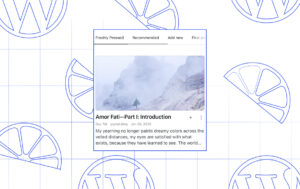
Finding your next favorite blog shouldn’t feel like scrolling through an endless feed, hoping something good appears. And for creators, getting discovered shouldn’t require figuring out an algorithm. Back in 2009, WordPress.com launched Freshly Pressed, a curated collection of posts that entertained, enlightened, and inspired. It was our way of saying “we like you, we really like you” to creators, and amplifying their great work for others to find. We paused Freshly Pressed a few years back, but the idea never really went away. And the case for human-curated discovery is stronger than ever. It’s time to bring Freshly Pressed back. What is Freshly Pressed? Freshly Pressed is where we…